Line-of-business apps
Accounting, inventory, a game server, a VPN: anything that needs a real Linux machine.
Servers
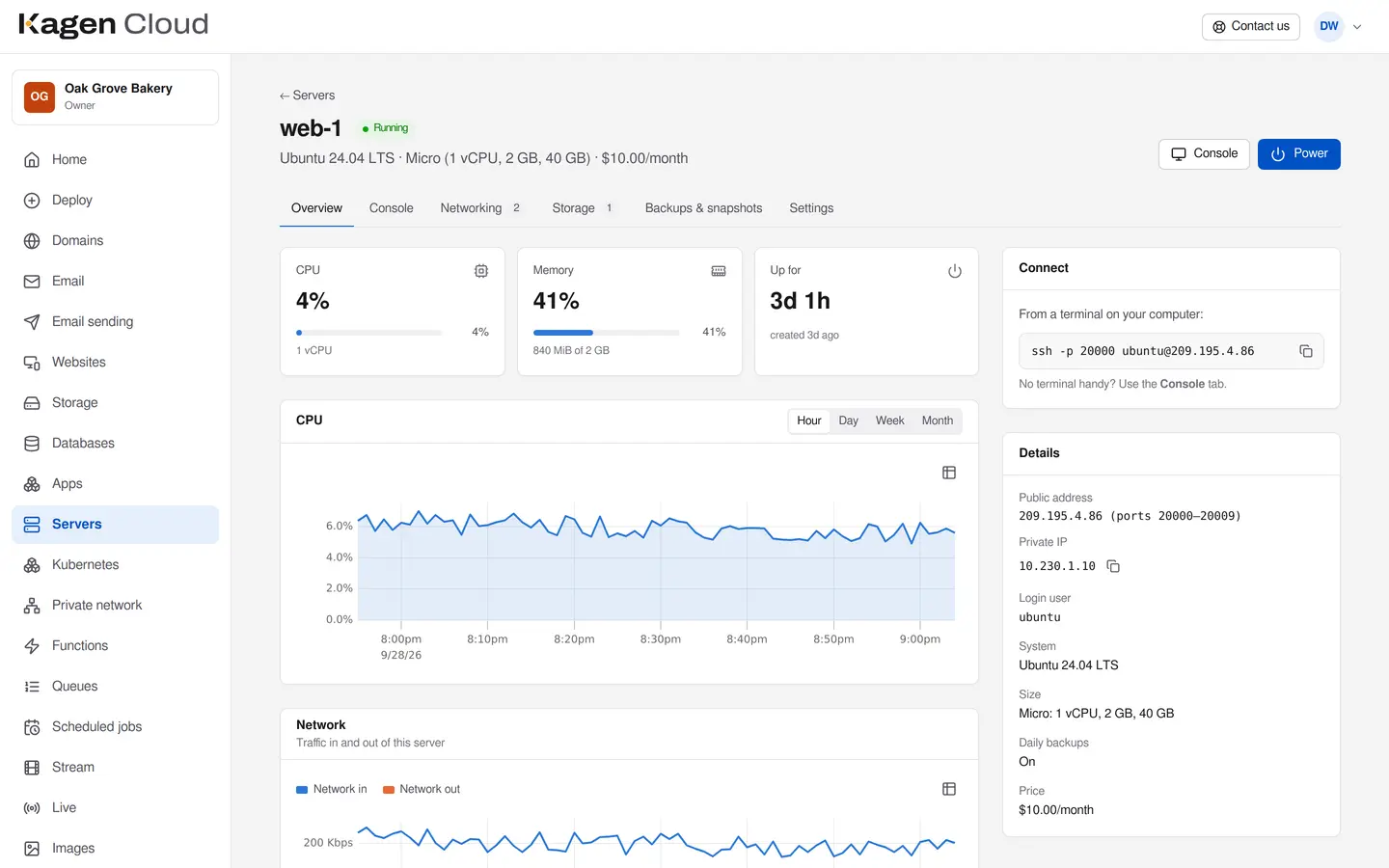
Choose a system and a size and you get root access over SSH, a console in your browser, a private network with your other servers and a firewall that blocks everything you haven't allowed. Billed by the hour, never more than the monthly price.
from $6 a month
Questions? Call 817-422-8663 and talk to the person who runs it.
Who it's for
Accounting, inventory, a game server, a VPN: anything that needs a real Linux machine.
Ubuntu, Debian, Rocky Linux or Alpine, with an API, a command-line tool and Terraform.
Start small, resize in place, add disks and servers on a private network as you need them.
Features
Ubuntu 24.04, Debian 12, Rocky Linux 9 or Alpine, ready in about a minute with your SSH key.
The server's screen and a text console in your browser, for when SSH isn't an option.
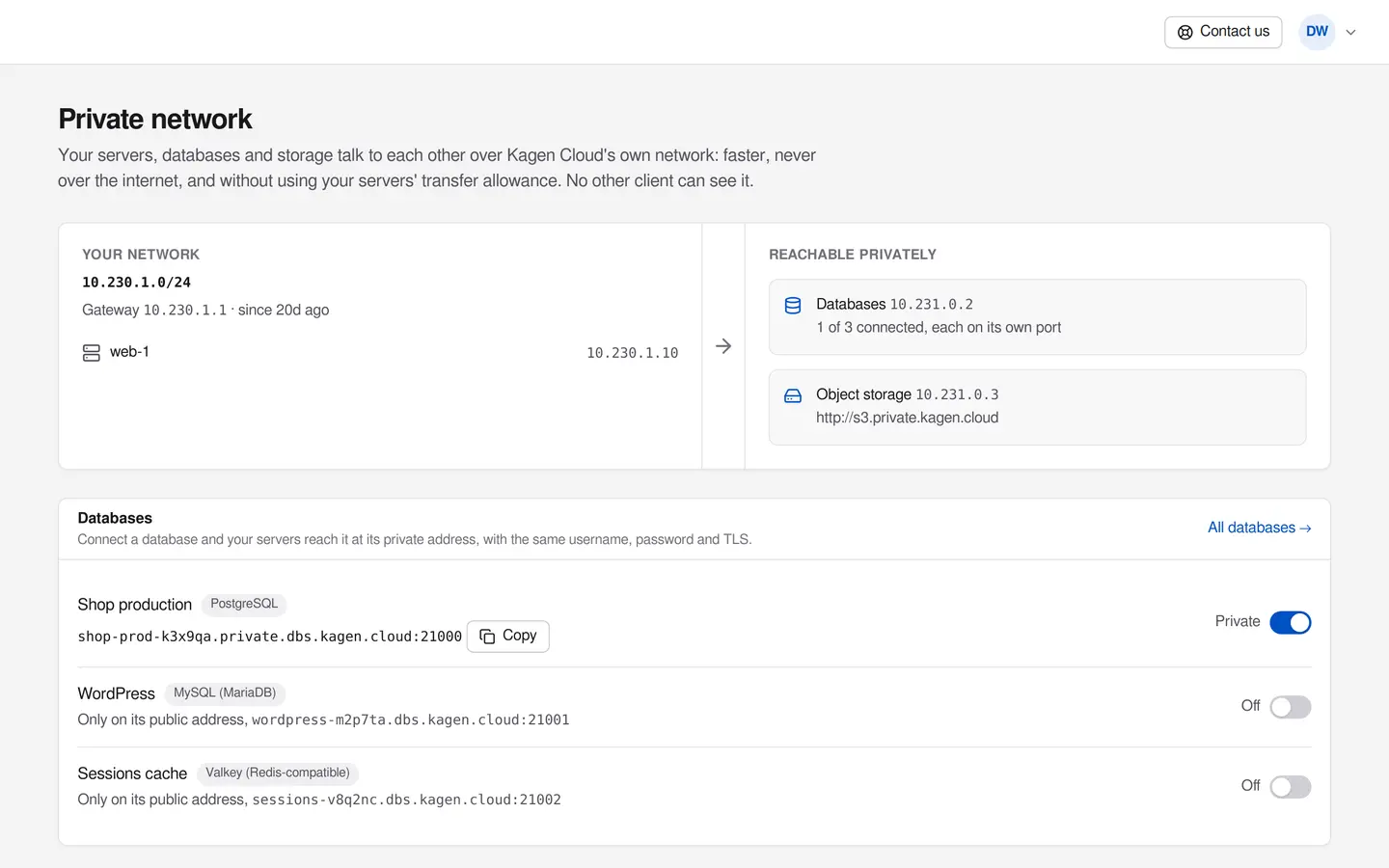
Your servers, databases and storage talk to each other on a network no other client can see.
Everything coming in is blocked until you allow it, per port and per address.
Up to three snapshots per server included. Daily backups, seven kept, as an add-on.
Add volumes when you run out of room. They grow, move between servers and are backed up with the server.
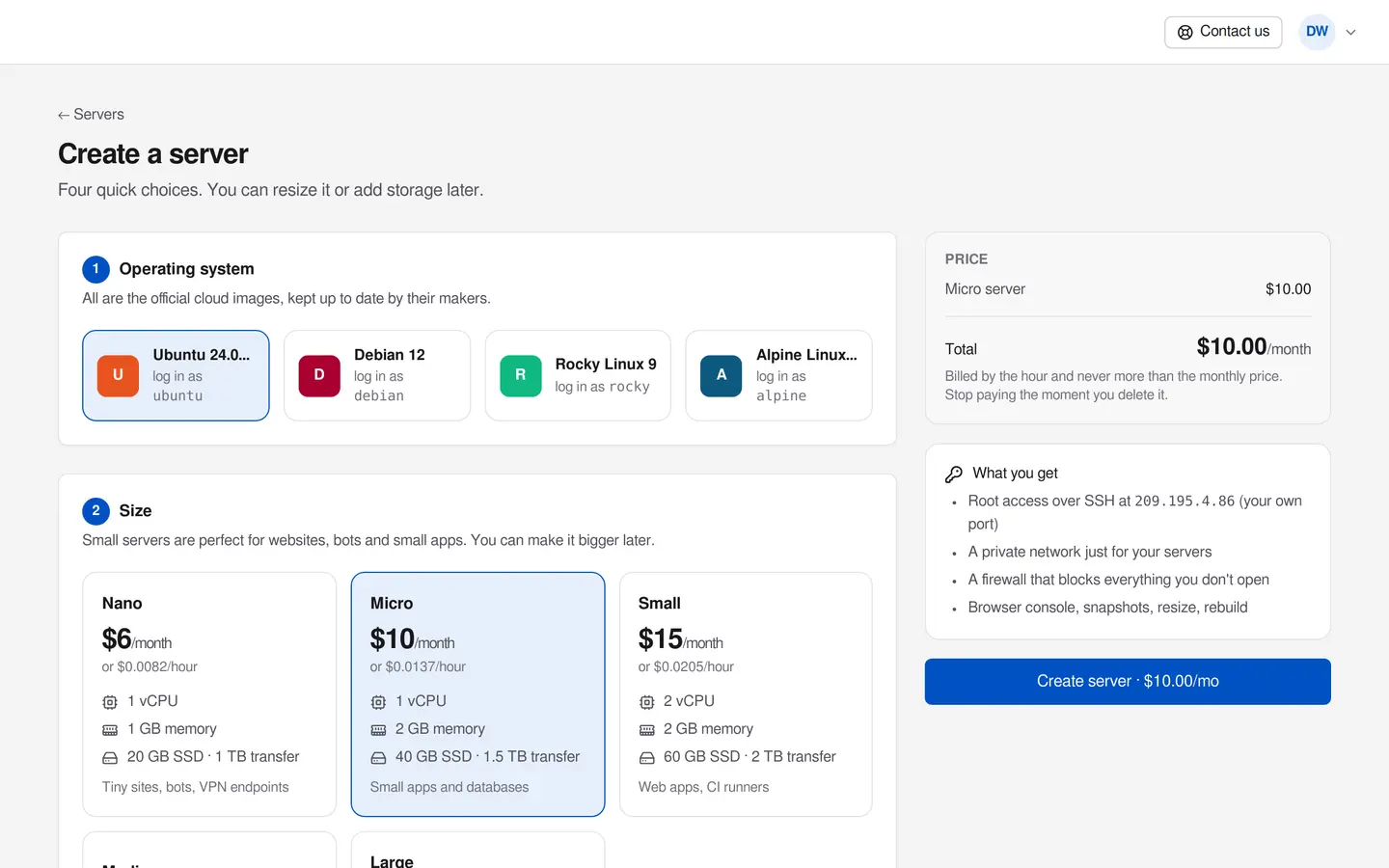
Every plan shows its monthly price, the hourly rate and what it includes. The total is on the button, so there are no surprises on the invoice.
Servers reach your databases and storage on private addresses, never over the internet, and without using your transfer allowance.
Pricing
From our live price list, the same one your invoice uses. Prices in US dollars.
We approve this size per account.
| What | Price |
|---|---|
| Daily backupsSeven daily copies on separate storage. | +20%of the server's price |
| Extra disk (volume)Grow any time; backed up with the server. | $0.10per GB, a month |
| Dedicated IPv4 addressWe approve each one: addresses are scarce. | $4a month |
| Transfer beyond your plansEach plan's transfer is pooled across your account. | $0.01per GB |
Every price, and a cost estimator Prices as of September 28, 2026. The portal shows the current price before you create anything.
By the hour while it exists, running or stopped, and never more than its monthly price in a month. Delete it and billing stops that hour.
Each server gets public ports on our shared address (for example for SSH). For websites, connect a web address on your domain and we put https in front of it. A dedicated IPv4 address is available on request.
Not directly on port 25; that's blocked on every cloud to stop spam. Use Email sending (SMTP or API), which also gets your mail into inboxes.
We keep capacity for everyone. Ask for it and we'll confirm within a business day.
On hardware we own in a data center in Atlanta, Georgia, with storage on redundant disks.
Call 817-422-8663 or send a request. A person answers, usually the same day.